
Video Editing & Animation Jobs: How to Start Freelancing and Get Hired in 2026
Video Editing & Animation Jobs: How to Start Freelancing and Get Hired in 2026
Video editing and animation is a freelance field with steady demand, because almost every brand, creator and business now publishes video online.
YouTubers, course creators, online stores, agencies and companies all need videos edited, polished and often animated. Short clips for Reels, Shorts and TikTok, explainer videos, ads and tutorials are produced in huge numbers, and most creators would rather hand off the editing and focus on their content. That creates plenty of remote work for freelancers who can deliver clean, engaging videos on time.
This guide explains the main types of video editing and animation jobs, the skills and tools clients expect, where to register and find work, and how to land your first client. It is written for beginners and can be followed step by step.
Types of Video Editing and Animation Jobs
This field covers several specialities. Choose one or two to start, then expand as you gain experience.
- YouTube video editing: Cutting footage, adding music, captions and graphics, and making videos keep viewers watching. This is the most common entry point.
- Short-form video editing: Fast-paced clips for Reels, Shorts and TikTok, often with captions and trending formats.
- Corporate and promotional video: Company profiles, product demos, training videos and ads.
- Motion graphics: Animated text, logos, icons and infographics that make videos look polished.
- 2D animation and explainer videos: Simple animated stories that explain a product or idea, popular with start-ups.
- 3D animation: Product visualisation and character work. It pays well but takes longer to learn.
- Subtitling and captioning: Adding accurate subtitles, which improves accessibility and viewer retention.
- Colour correction and audio cleanup: Improving how a video looks and sounds, often as an add-on service.
If you are unsure where to begin, start with YouTube or short-form editing. Raw footage is easy to find for practice, and clients post these jobs every day.
Skills and Tools You Need
Clients want editors who understand storytelling, work quickly and communicate clearly. Software matters, but these skills matter more.
- Storytelling and pacing. Know when to cut, when to hold a shot and how to keep viewers interested from the first few seconds.
- Audio skills. Clear sound is as important as good visuals. Learn to balance voice, music and effects, and to remove background noise.
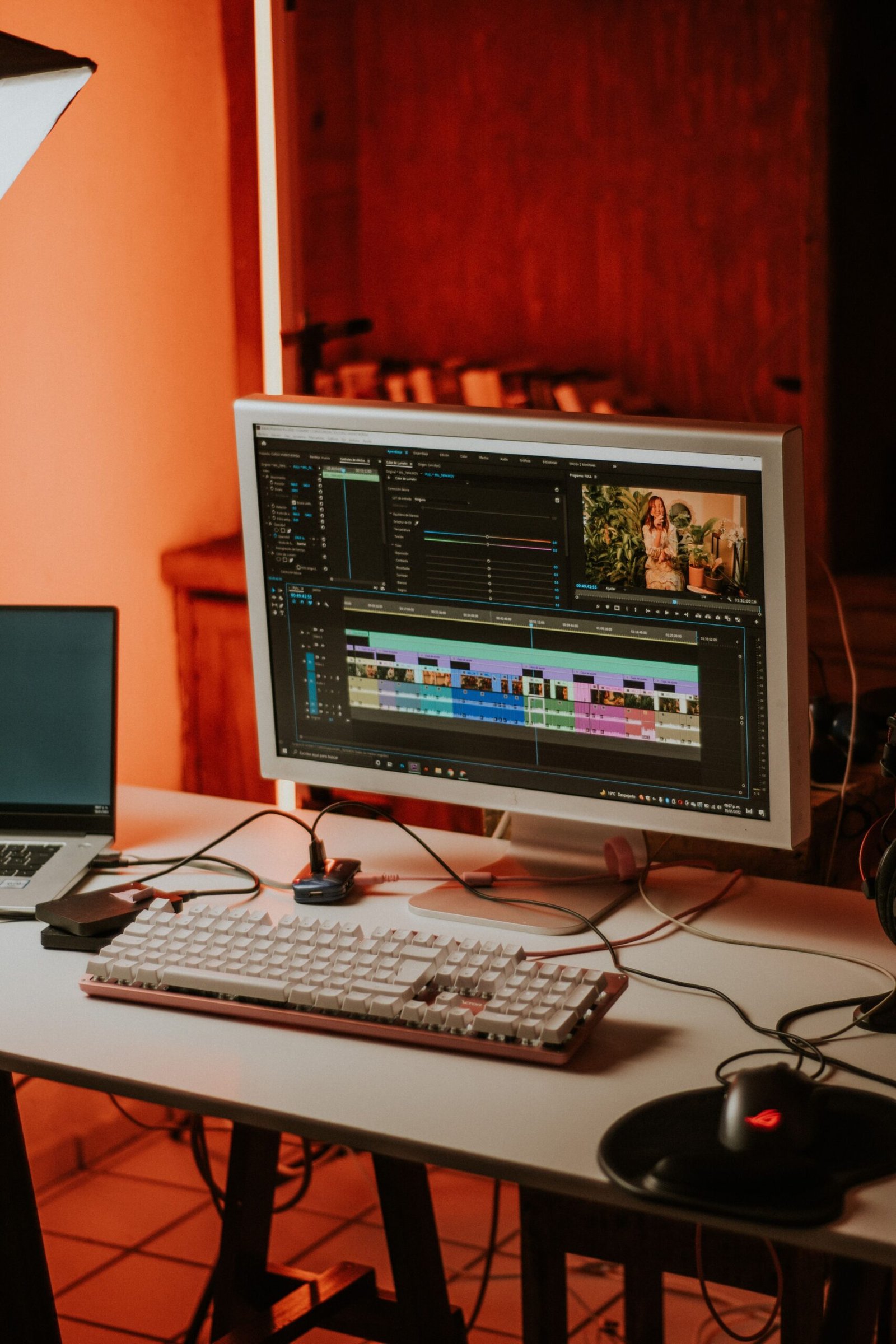
- Software knowledge. Learn at least one professional editor well. DaVinci Resolve has a free version, and CapCut is popular for short-form video. Adobe Premiere Pro and After Effects are common in client work.
- Basic motion design. Simple animated titles, transitions and lower thirds make your edits look professional.
- Following a brief. Match the client’s style, length, format and brand colours.
- Organisation. Name and sort your files, keep backups and export in the right format and resolution for each platform.
A reasonably modern computer, a good pair of headphones and a stable internet connection are enough to begin. Start with free software, and upgrade only when clients require it.
Where to Find Video Editing Jobs (Register Here)
Freelance marketplaces are the simplest place to meet clients who already have footage and a budget. Registration is free on the platforms below, though each takes a fee from your earnings.
| Platform | Best for | Register |
|---|---|---|
| Upwork | Long-term clients, YouTube channels and corporate video | Create an Upwork account |
| Fiverr | Fixed-price packages such as a Reel edit or an intro animation | Join Fiverr |
| Freelancer.com | Bidding on short projects and building early reviews | Sign up on Freelancer.com |
| Behance | Showcasing animation and motion work to clients | Visit Behance |
When you register, write a specific headline (for example, “YouTube Video Editor for Education Channels”), add a short showreel and list the software you use. Clients decide quickly, so a short video that shows your best work will help your profile stand out.
You can also find clients on LinkedIn, in creator communities on Facebook and Discord, and by contacting small YouTube channels whose videos could use better editing.
How to Build a Portfolio and Get Your First Client
A portfolio of real videos is your best proof of skill, so build it before you apply.
- Make 4 to 6 sample videos. Use free stock footage, your own clips or a friend’s content. Try a YouTube-style edit, a short Reel with captions, a simple explainer animation and a logo intro. Only use footage, music and graphics you have the right to use.
- Create a 60-second showreel. Put your best clips together with a clean title and your contact details.
- Publish your work. Upload it to YouTube or Vimeo, add it to your marketplace profile and share it on Behance.
- Send personalised proposals. Watch the client’s existing videos, mention one thing you would improve and suggest how you would do it. Generic messages are often ignored.
- Offer a short trial edit. A short sample of the client’s own footage, or a lower-priced first video, can show your quality and win trust.
- Deliver on time and in the right format. Ask about platform, resolution and length before you start, and respond to revision requests quickly.
Rates vary widely by skill, video length and complexity, so look at what similar editors charge and raise your prices as your reviews grow.
Common Mistakes Beginners Should Avoid
- Using copyrighted music or footage. Videos can be muted, blocked or removed, and clients can lose their channels. Use licensed or royalty-free material.
- Ignoring audio quality. Viewers forgive average visuals faster than bad sound.
- Over-editing. Too many effects, transitions and animations distract from the message. Simple, clean edits usually work best.
- Not asking for the brief. Confirm length, style, platform and deadline before you start cutting.
- Losing files. Keep backups of projects and exports, and save versions as you go.
- Working without agreed revisions. Decide how many rounds of changes are included before you begin.
- Taking payment outside the platform. Marketplaces provide payment records and dispute support that protect you.
Final Thoughts
Video editing and animation reward patience and practice. Earnings depend on your skills, niche and reputation, so results differ for every editor. The path is clear: learn one tool well, build a short showreel and apply regularly.
Ready to start? Register on Upwork, Fiverr or Freelancer.com, upload your showreel to your profile and send your first proposal this week.